
Create an API key
Sign in to the console and open API keys.
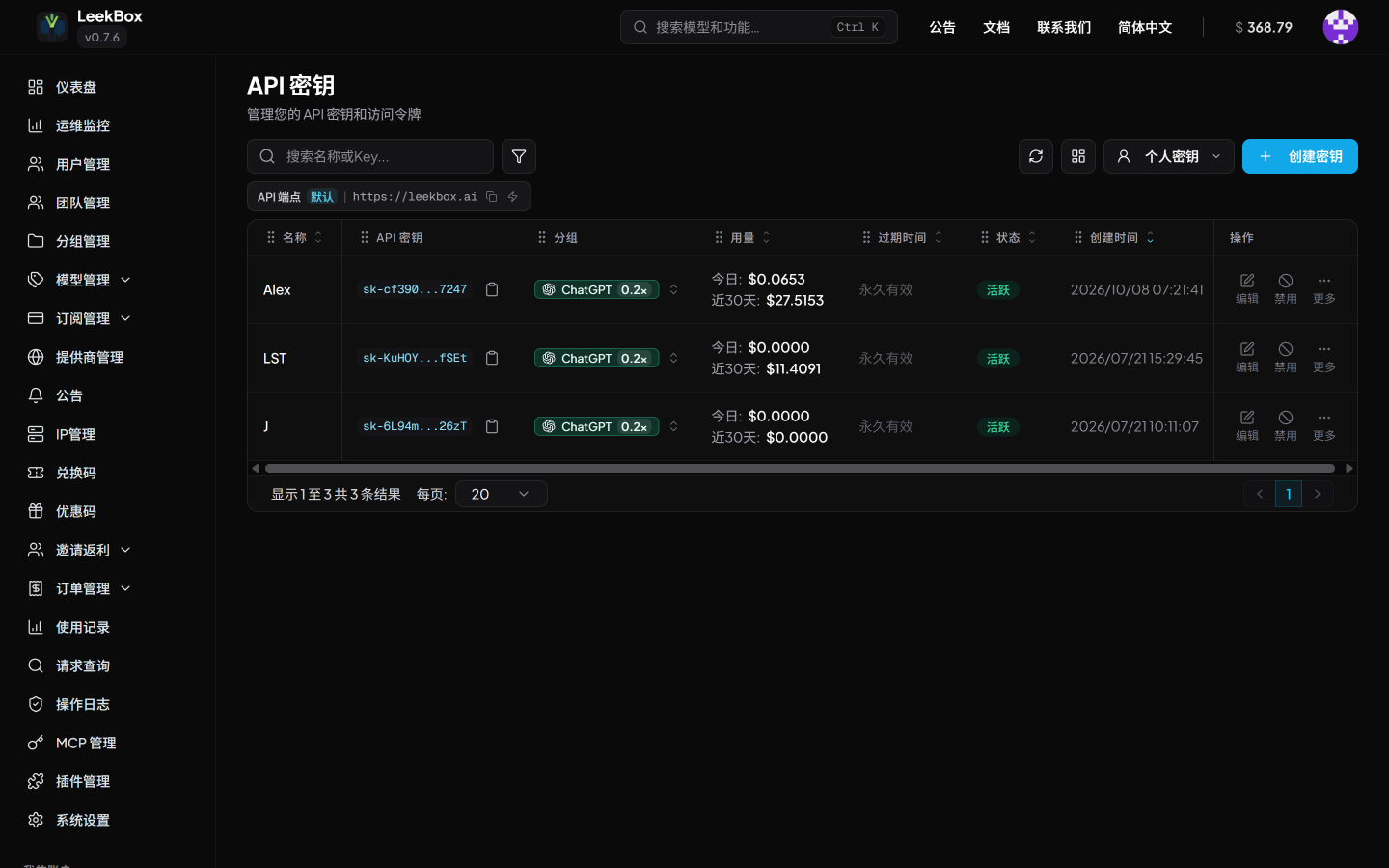
Create
- Click New key and name it after its use (
cursor-mac,ci-build). - Pick a group. The group sets which models the key can call and the multiplier it pays.
- Save and copy immediately — the full key is shown once.
Per-key limits
Useful when handing a key to a teammate or a project:
- Total quota: maximum spend for this key
- Daily / weekly / 5-hour limits: windowed spend caps
- RPM: requests per minute
- Model mapping: rewrite a requested model name to another one
- IP allowlist: restrict to fixed egress IPs
Disable and delete
- Disable: requests rejected immediately, reversible, usage history kept.
- Delete: permanent; callers start getting
401.
Security
- One key per project so you can revoke a single key.
- Never embed a key in frontend code — proxy through your backend.
- If a key leaks, disable it first, then create a new one.